See how the Authorization Box works
Click a topic and Controlly explains how the Authorization Box works.
You build an organization chart with departments and organization roles, such as Sales Associate or Bookkeeper. To each role you link the permission sets that belong to it.
Result for you
Rights that match how your organization really works.
Authorizations per user take time
In Business Central you assign permission sets per user. With every new employee, role change or departure, the search starts again. And when the auditor asks who can do what and who approved it, the answer is hard to give.
Rights per user
Every new employee means finding and assigning permission sets all over again.
No approval on record
Who requested a right and who approved it is hard to trace afterwards.
Segregation of duties invisible
Conflicting rights only stand out when an auditor asks about them.
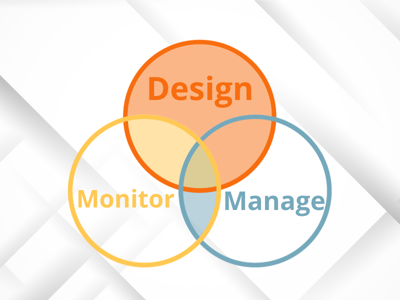
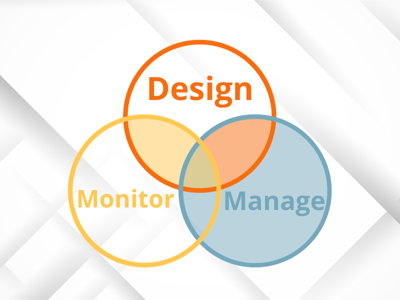
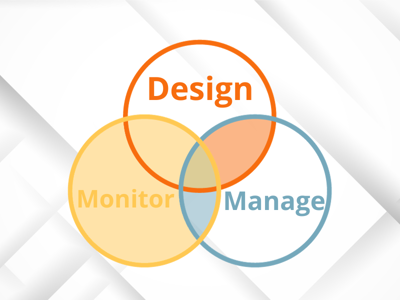
Design, manage and monitor
The Authorization Box supports the full authorization cycle, from one place.
Design
Build an organization chart with departments and organization roles, and link permission sets or permission set groups to them. Changes can also be made with Excel.
Manage
Assign organization roles through authorization requests, with optional approval, per company or company group, and revoke them with an ending date.
Monitor
Analyze critical permissions and segregation of duties conflicts, review the results and stay in control continuously with Continuous Monitoring.
Everything you need for manageable authorizations
Authorization management, user management and monitoring in one web application, linked directly to Business Central.
Organization chart
Your organization as the basis
Departments and organization roles in a visual organization chart, built in the Authorization Box or with Excel.
Organization roles
Rights per position
Link permission sets or permission set groups to a role instead of to individual users.
Authorization requests
One request per change
Assign or revoke roles, per company or company group, directly or with a starting and ending date.
Approval workflow
Responsibility with the owner
Let a manager or data owner approve a request first, with an audit trail of every decision.
Direct synchronization
Linked to Business Central
Changes are synchronized with Business Central directly, from a starting date or after approval.
Critical permissions
Your own audit questions
Start with the standard set of critical permissions and conflicts, or define your own questions, such as who can modify items.
Segregation of duties conflicts
SoD risks found
Combinations of permissions that must not go together are checked automatically in every analysis.
Review
Agreed or disagreed
Review every result, also per organization role, and export the reviews for your compliance file.
Export and import
Bulk changes
Change the setup for many users or roles at once through export and import.
Also for Dynamics 365 F&SCM
Authorization Monitoring is the self-audit tool for Dynamics 365 Finance & Supply Chain Management. It analyzes Security Roles, Duties and Privileges and the users assigned to them, finds segregation of duties violations and builds audit-ready evidence with a documented review history.
- Start from a standard library of critical permissions and conflicts
- Results per process and classified by impact
- Every result reviewed as agreed, disagreed or to review
Extend your Authorization Box
Three modules for more automation and control.
User Templates
Automate user setup
Assign an organization role and templates fill records, user settings and approval limits automatically.
Continuous Monitoring
Notifications on critical changes
Get notified as soon as access to your critical permissions changes, directly or at your own rhythm.
Central Management
Several databases, one parent
Maintain the setup centrally. Changes are immediately available in all linked databases.
What is in it for you?
Ready for the audit, with segregation of duties you can prove.
- Well documented rights and approvals
- Segregation of duties analyzed on critical permissions and conflicts
- Reviews exportable for the compliance file

Less manual work in managing rights.
- Set up new users through an organization role
- Revoke rights with an ending date
- No customization in Business Central needed

Customers set up faster and better.
- Shorter implementation time with a clear authorization framework
- More value in security and compliance
- Fewer permission issues after go-live

Good to know
Designed by IT auditors
The Authorization Box is developed by IT auditors, for application management and control professionals.
Web application, directly linked
The Authorization Box is a web application linked directly to your Business Central databases. Changes take effect directly, or from the starting date you choose.
Modular
The basis consists of authorization and user management and Authorization Monitoring. User Templates, Continuous Monitoring and Central Management are separate modules.
Ready to simplify authorizations?
- Design, manage and monitor in one place
- Designed by IT auditors
- For Business Central and Dynamics 365 F&SCM
Built by 2-Controlware, specialists in authorization management for Microsoft Dynamics.
Frequently asked questions
Discover our compliance apps
In addition to the Authorization Box, we offer compliance apps that work right inside Business Central.
Field Security
Authorize on field and dataset level
Optimize the standard permissions structure at field, filter and action level.
Field Validation
Field validation on user level
Set up business rules for your data quality, so data complies before it is used in further processes.
Advanced Permissions Management
Track, review and roll back permission changes
See every permission set change, who made it and when, and undo a mistake in a few steps.
Advanced Permissions Recorder
Record, clean up and target permissions
Record the permissions of other users in a few clicks and clean up unnecessary entries automatically.